Independent guide · Updated
Sticker printer and cutter guide: what each sticker costs
Independent comparison of home colour sticker printers from the makers’ published specs and supply prices, each linked to its source.
- Published specs & prices only
- Every figure sourced
- Not affiliated with any brand
Which to buy
Need a buying pick?
This hub compares published costs and specs. For which machine fits what you make, see our best sticker printer and cutter guide — use-case picks from maker specs and supply prices, not hands-on testing.
What it costs
What does each sticker cost?
KC-18IF: 1 full-page label per sheet.
- Cost per sheet
- ≈ $0.67
- Cost per sticker
- 3.7¢
Estimate from list prices; excludes tax/shipping. Not a measured cost. Pack prices (Cricut shop (US) refill; Liene shop; Canon U.S.A. shop (KC-18IF); Cricut shop (Australia) refill; Cricut shop (New Zealand) refill).
Published supply cost per sheet
| Supply | Cost per sheet or print |
|---|---|
| Sticker sheets | |
| Photo prints (4×6) | |
Sources (7)
- Liene shop, “PixCut S1 4x7" Sticker Paper 72 Sheets & 2 Ink Cartridges Refill”, accessed 22 Oct 2026 ↩
- Cricut shop (US) refill, “Cricut StickerPix Print + Cut Sticker Sheets & Ink Cartridges Set (72 Prints)”, accessed 22 Oct 2026 ↩
- Canon U.S.A. shop (KC-18IF), “Ink/Label KC-18IF”, accessed 26 Sep 2026 ↩
- Canon U.S.A. shop (KP-108IN), “KP-108IN Color Ink/Paper Set”, accessed 26 Sep 2026 ↩
- Liene shop, “PixCut S1 4x6" Photo Paper 72 Sheets & 2 Ink Cartridges Refill”, accessed 22 Oct 2026 ↩
- Cricut shop (US) refill, “Cricut StickerPix Print + Cut Photo Paper & Ink Cartridges Set (72 Prints)”, accessed 22 Oct 2026 ↩
- Cricut shop (US) refill, “Cricut StickerPix Print Pre-cut Sticker Sheets & Ink Cartridge Set (54 Prints)”, accessed 22 Oct 2026 ↩
Side by side
At a glance
| Spec | Cricut StickerPix Print + Cut | Liene PixCut S1 | Canon SELPHY CP1500 |
|---|---|---|---|
| Built-in cutter | Yes, kiss-cut only1 | Yes, kiss-cuts around the design2 | No cutter listed in Canon’s specifications3 |
| Sheet / paper sizes | 4 × 7 in sticker sheets; 4 × 6 in photo paper1 | 4 × 7 in sticker paper; 4 × 6 in photo paper4 | Postcard 4.0 × 6.0 in, L, Card 2.1 × 3.4 in, square label 2.1 × 2.1 in3 |
| Supplies cost per sheet | ≈ $0.67 per 4×7 sheet (our calculation: $47.99 ÷ 72)5 | ≈ $0.60 per 4×7 sheet (our calculation: $42.99 ÷ 72)6 | ≈ $0.39 per 4×6 print (our calculation: $41.99 ÷ 108)7; ≈ $0.83 per full-page label sheet (our calculation: $14.99 ÷ 18)8 |
| App / software | Cricut Design Space (Windows, macOS, iOS, Android)1; an internet connection is required1 (Cricut doesn’t publish an account requirement on its StickerPix pages) | Liene lists Windows 10+ and macOS 12+ desktop support on its product and app download pages910; iOS and Android4 | Canon PRINT Inkjet/SELPHY, SELPHY Photo Layout3 |
| Connectivity | Bluetooth1 | Bluetooth 5.04 | Wi-Fi, AirPrint, USB-C, SD card3 |
| Printable area | Not published | 3.9 × 6.7 in on 4 × 7 in sticker paper4 | Not published |
| Third-party paper | Cricut says “Third-party consumables may cause clogging, print defects, or machine damage”11 | Not supported, per Liene12 | Canon says use genuine Canon ink/paper sets13 |
Sources (13)
- Cricut shop (US), “Cricut StickerPix Print + Cut Essential Bundle”, accessed 22 Oct 2026 ↩
- Liene blog, “The practical guide to custom label design with Liene PixCut S1”, accessed 5 Oct 2026 ↩
- Canon spec sheet, “SELPHY CP1500 Spec Sheet (PDF)”, accessed 26 Sep 2026 ↩
- Liene tech specs, “Technical Specifications for PixCut S1”, accessed 3 Oct 2026 ↩
- Cricut shop (US) refill, “Cricut StickerPix Print + Cut Sticker Sheets & Ink Cartridges Set (72 Prints)”, accessed 22 Oct 2026 ↩
- Liene shop, “PixCut S1 4x7" Sticker Paper 72 Sheets & 2 Ink Cartridges Refill”, accessed 22 Oct 2026 ↩
- Canon U.S.A. shop (KP-108IN), “KP-108IN Color Ink/Paper Set”, accessed 26 Sep 2026 ↩
- Canon U.S.A. shop (KC-18IF), “Ink/Label KC-18IF”, accessed 26 Sep 2026 ↩
- Liene product page, “PixCut S1 Photo Sticker Printer and Cutter (product page)”, accessed 22 Oct 2026 ↩
- Liene app download, “PixCut S1 App Download”, accessed 19 Oct 2026 ↩
- Cricut Help Center, “Cricut StickerPix Print + Cut compatible materials and supplies”, accessed 9 Oct 2026 ↩
- Liene materials guide, “How to Pick the Right PixCut S1 Material for Your Project”, accessed 5 Oct 2026 ↩
- Canon U.S.A. support, “Compatible Ink and Paper – CP1500”, accessed 26 Sep 2026 ↩
Choosing between the two print-and-cut machines? Our Cricut vs Liene comparison goes row by row. Cricut also sells the StickerPix Print ($169), which uses pre-cut sheets and has no cutter (Cricut press release (GlobeNewswire); Cricut blog). It is covered in the buying guide.
Keep reading
Guides and tools
- Sticker cost per sheet calculatorWork out cost per sheet and per sticker from real pack prices.
- Best sticker printer and cutterBuying criteria and all four printers side by side, from published specs.
- Which sticker printer? Take the quizSix questions, a top pick and a runner-up, each reason sourced.
- Cricut StickerPix vs Liene PixCut S1Specs comparison from Cricut and Liene’s own pages (not hands-on).
- StickerPix Print vs Print + CutPrice, refills and differences between the two Cricut models (not hands-on).
- Liene PixCut S1 vs Canon SELPHYPrint and cut vs a photo printer with label sheets.
- Liene PixCut S1 alternativesFour other ways to print stickers, compared from published specs.
- Sticker printer troubleshootingError lights, paper jams, cut offset and pairing fixes from official help pages.
- Paper and compatibility FAQThird-party paper, waterproofing, kiss-cuts and your own images.
- Photo to stickerCut out a photo’s background on your device and print it as a sticker sheet.
- Sticker size guideHow many fit on a 4×7 or 4×6 sheet at each size, plus free blank cut templates.
Free 4×7 sticker sheet maker
Fill a 4×7 in sheet with your own images, add a white border and download a 300 DPI transparent PNG. Runs in your browser; images are never uploaded.
Open the sheet makerFree 4×7 sample sheets
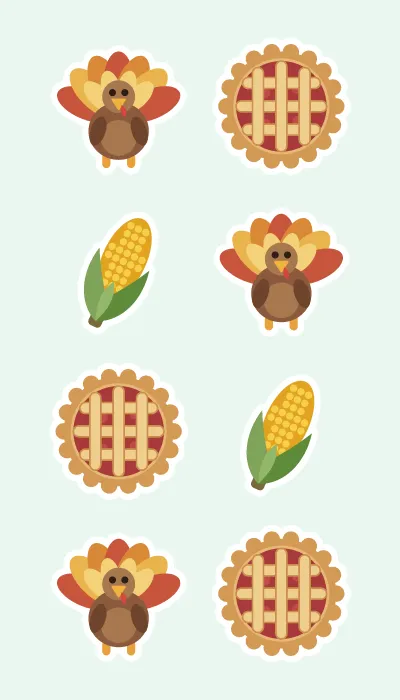
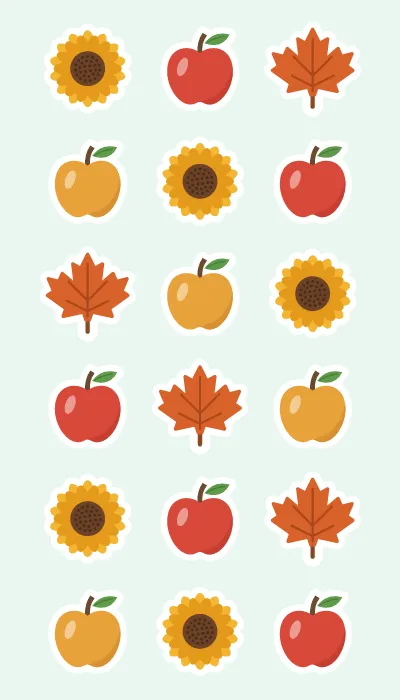
3 printable Thanksgiving PNG sheets, 1200 × 2100 px, transparent. Holiday sheets: free Christmas sticker sheets, free Hanukkah sticker sheets and free New Year sticker sheets. Or fill a 4×7 in sheet with your own images in the free sheet maker; it runs in your browser and images are never uploaded.
See the Thanksgiving sheets
Ideas by use
What are you making?
- Planner and journal stickersIcon, header and photo sticker sizes, and what fits on a 4×7 sheet.
- Laptop and water bottle stickersWhat Cricut and Liene actually claim about water, and what they don’t.
- Product labels for a small shopRound seals, jar labels and batch cost for 50 to 250 labels.
- Reward stickers for kids and classroomsCost per 100 reward stickers and the cheapest sheet layouts.
- Wedding and party favor stickersEnvelope seals, favor-bag stickers and place cards, with batch cost for 50 to 150 guests.
Sources
All 20 sources, each with its access date
- Cricut shop (US) refill, “Cricut StickerPix Print + Cut Sticker Sheets & Ink Cartridges Set (72 Prints)”
- Liene shop, “PixCut S1 4x7" Sticker Paper 72 Sheets & 2 Ink Cartridges Refill”
- Canon U.S.A. shop (KC-18IF), “Ink/Label KC-18IF”
- Cricut shop (Australia) refill, “Cricut StickerPix Print + Cut Sticker Sheets & Ink Cartridge Set (72 Prints)”
- Cricut shop (New Zealand) refill, “Cricut StickerPix Print + Cut Sticker Sheets & Ink Cartridge Set (72 Prints)”
- Canon U.S.A. shop (KP-108IN), “KP-108IN Color Ink/Paper Set”
- Liene shop, “PixCut S1 4x6" Photo Paper 72 Sheets & 2 Ink Cartridges Refill”
- Cricut shop (US) refill, “Cricut StickerPix Print + Cut Photo Paper & Ink Cartridges Set (72 Prints)”
- Cricut shop (US) refill, “Cricut StickerPix Print Pre-cut Sticker Sheets & Ink Cartridge Set (54 Prints)”
- Cricut shop (US), “Cricut StickerPix Print + Cut Essential Bundle”
- Liene blog, “The practical guide to custom label design with Liene PixCut S1”
- Canon spec sheet, “SELPHY CP1500 Spec Sheet (PDF)”
- Liene tech specs, “Technical Specifications for PixCut S1”
- Liene product page, “PixCut S1 Photo Sticker Printer and Cutter (product page)”
- Liene app download, “PixCut S1 App Download”
- Cricut Help Center, “Cricut StickerPix Print + Cut compatible materials and supplies”
- Liene materials guide, “How to Pick the Right PixCut S1 Material for Your Project”
- Canon U.S.A. support, “Compatible Ink and Paper – CP1500”
- Cricut press release (GlobeNewswire), “Cricut Launches a New Category with the All-New Cricut StickerPix Line…”
- Cricut blog, “Meet Cricut StickerPix Print + Cut and Cricut StickerPix Print”